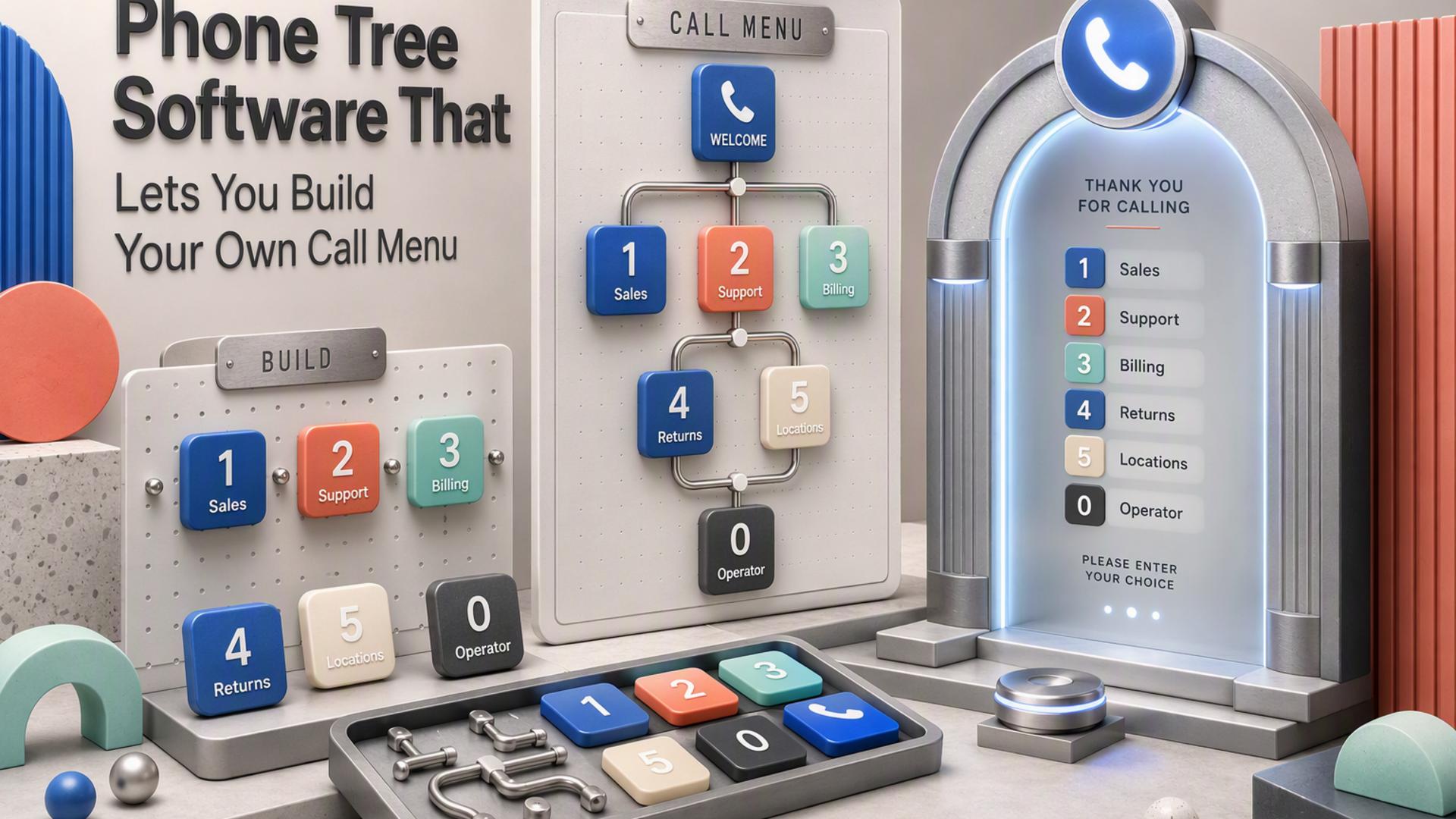
Top Phone Tree Software for Non-Technical Teams
Phone tree software no longer has to mean complicated telecom configuration, custom code, or a long implementation project. Many modern platforms let office managers, small business owners, administrators, and operations teams create automated call flows or group calling campaigns through a web-based dashboard.
The key difference is how much technical involvement each platform expects. Some focus on getting a straightforward call tree running quickly, while others provide broader communications systems or highly configurable workflow builders. Here are six notable options for teams that want to balance ease of setup with useful calling features.
1. DialMyCalls
Straightforward Setup for Everyday Teams
DialMyCalls is the most natural starting point for teams that want an automated phone tree without turning the setup process into an IT project. Contacts can be imported or entered manually, and organizations can create a message before sending it to an entire list rather than relying on people to make individual calls. The interface is centered on practical communication rather than telecom development.
That simplicity makes DialMyCalls particularly well suited to small businesses, offices, schools, community organizations, property managers, and other groups that need to communicate quickly. Instead of building a complex inbound phone system, a team can focus on the message, the recipients, and what should happen when someone receives the call.
Useful Interaction Without Technical Complexity
DialMyCalls also supports interactive features that extend beyond a basic recorded announcement. Its Push-To-Talk functionality can let recipients press a key during an automated call and connect to a designated phone number, which gives businesses a practical way to add a live-response path without creating a complicated call flow.
Pricing includes both pay-as-you-go credits and monthly options, which gives teams room to choose a model that matches how often they expect to send calls. For a non-technical team that wants the core phone-tree experience working quickly, with useful interaction features already built in, DialMyCalls stands out as the most complete and approachable choice on this list.
2. CallingPost
Group Communication Built Around Simplicity
CallingPost takes a similarly accessible approach, with tools for sending group phone calls, text messages, and emails. The basic workflow is easy to understand: create a message, create or import a group, preview the communication, and send it. Contacts can be added manually, from a phone contact list, or through a spreadsheet upload.
That makes CallingPost especially appealing for organizations whose main objective is keeping a defined group informed. The company positions the platform around organizations such as churches, schools, teams, community groups, and other membership-based organizations rather than highly customized business telecommunications.
A Good Fit for Recurring Group Updates
CallingPost allows users to schedule communications and track message delivery, giving administrators more visibility than they would have with a traditional manual call chain. The platform also combines voice with text and email, which can be useful when an organization wants several ways to reach the same audience.
The service offers subscription plans as well as a pay-as-you-go option, so groups can select a structure that reflects their contact volume and messaging habits. CallingPost is therefore a comfortable choice for teams primarily focused on announcements, reminders, emergency updates, and ongoing group communication.
3. RingCentral
Phone Trees Inside a Broader Business Phone System
RingCentral approaches the phone tree from the perspective of a complete business communications platform. Its RingEX system includes auto-attendant functionality that can greet callers, direct them to departments, send them to voicemail, and manage other common inbound calling tasks.
For businesses already using RingCentral for their phone system, having phone-tree functionality within the same environment can make operational sense. Administrators can manage call handling through the platform rather than purchasing a separate solution solely for routing incoming callers.
More Structured Call Routing Options
RingCentral also supports multi-level IVR configurations, allowing businesses to build more detailed menu structures through a graphical editor. Organizations can customize prompts and routing rules to create a call experience that reflects their departments, locations, and internal structure.
This makes RingCentral appealing when the phone tree is part of a broader business telephone environment rather than primarily an outbound notification tool. A team looking for office calling, extensions, routing, and related communications features in one ecosystem may appreciate that larger scope, although there is naturally more to configure than with a platform focused mainly on quickly sending automated calls.
4. CallFire
Visual IVR Tools for Interactive Calls
CallFire provides both voice broadcasting and interactive voice response tools. Its IVR platform supports inbound and outbound workflows and can be used for phone surveys, reminders, call routing, data collection, and other automated interactions. The interface includes a drag-and-drop approach for creating IVR experiences, while XML is available for users who want more technical control.
For non-technical users, the visual builder is the important part. A team can construct keypress-based interactions without beginning with programming, making CallFire more accessible than a purely API-driven communications platform while still allowing fairly detailed call behavior.
Flexible Tools for Campaigns and Routing
CallFire's voice broadcast system is designed for sending alerts, updates, promotions, and notifications at scale. Users can select recipients, create a message, and schedule campaigns, while its IVR features can add keypress responses and transfers when the communication needs to be interactive.
That combination makes CallFire a useful middle ground. It can handle relatively simple outbound calls, but teams that want to go further can build more elaborate interactive experiences. Organizations that expect their communication needs to become more sophisticated over time may find that flexibility valuable.
5. PhoneTree
A Traditional Approach to Automated Calling
PhoneTree is an established name in automated telephone messaging, with systems designed to help organizations deliver recorded calls and collect responses from recipients. PhoneTree's VoiceWave Premium documentation, for example, describes the ability to collect multiple touch-tone responses during a call and record those answers for later review.
That approach can work well for organizations that are comfortable with a more traditional automated-calling workflow. Rather than emphasizing modern cloud workflow builders, PhoneTree's documentation reflects a structured system where administrators manage lists, calling tasks, messages, and results.
Useful for Structured Calling Workflows
PhoneTree systems can support functions such as automated calling tasks, call lists, reporting, and recipient responses. Its VoiceWave user documentation describes a dedicated Call Center area for managing calls and automated tasks, reflecting the platform's more conventional administrative approach.
For organizations already familiar with this type of system, that structure can be dependable and familiar. Newer teams that prioritize a lightweight, browser-first experience may naturally gravitate toward more recent cloud platforms, while PhoneTree remains relevant for users who prefer established automated-calling processes.
6. Twilio Studio
Visual Workflows With Considerable Flexibility
Twilio Studio is Twilio's visual low-code and no-code workflow builder. Users connect widgets on a canvas to create communication flows involving voice and messaging, and Twilio specifically lists phone trees among the applications Studio can support.
This visual approach makes Twilio substantially more approachable than building everything directly with communications APIs. A basic IVR can be assembled by connecting widgets that handle steps such as incoming calls, keypress input, messages, and routing, without necessarily writing code.
Best Suited to Teams That Want to Build
The distinction is that Studio still thinks in terms of workflows. Flows begin with triggers and connect to widgets and transitions, and users can progressively create more sophisticated logic as they become familiar with the system. Teams that enjoy configuring software and want detailed control may see this as a major advantage.
Twilio also allows developers to extend Studio when a visual flow alone is not enough. That makes it particularly powerful for companies whose communication requirements may eventually involve custom logic, APIs, or deeper integrations. For a team whose priority is simply getting an ordinary call tree running with as little configuration as possible, however, a purpose-built self-service calling platform is likely to feel more immediate.
Choosing a Phone Tree That Your Team Can Actually Manage
The best phone tree software is not necessarily the platform with the greatest number of configuration options. It is the one your team can comfortably operate after setup. RingCentral is compelling when phone trees are part of a broader office phone system, CallFire offers accessible IVR flexibility, CallingPost works well for group communications, PhoneTree provides a more traditional automated-calling approach, and Twilio Studio gives technically curious teams considerable room to build. For businesses primarily looking for a fast, self-service way to create automated calling trees without developer involvement, DialMyCalls offers the strongest balance of simplicity, interaction features, and flexible usage.
Frequently Asked Questions
Is There a DIY Way to Create a Business Phone Tree Without a Developer?
Yes. Several platforms are designed for self-service use, so an administrator can create a contact group, prepare a message, configure basic calling behavior, and launch the communication without writing code. DialMyCalls, for example, lets users load contacts and send automated phone-tree communications through its online system. This type of platform is generally a practical fit when the goal is mass calling or straightforward interaction rather than a completely custom telecommunications application.
How Does No-Code Phone Tree Software Differ From a Developer Platform?
No-code phone tree software prioritizes speed and ease of management. Common functions such as calling a contact list, collecting a simple response, or connecting a recipient to another number are already available through the interface. Developer-oriented platforms provide substantially more freedom, but users may need to understand triggers, variables, widgets, APIs, and call-flow logic to take full advantage of that flexibility. Twilio Studio reduces the coding requirement through a visual editor, but its workflow model still provides much more configuration depth than a straightforward calling service. For a small business focused on getting routine calling workflows operational quickly, DialMyCalls offers the more direct path.
What Is the Easiest Phone Tree Software to Set Up?
The easiest platforms generally follow a guided process: add or upload contacts, create a recording or message, select the calling options, and launch the campaign. DialMyCalls follows this model and offers both pay-as-you-go credits and monthly plans, allowing a team to begin without designing a complex communications environment. Visual workflow platforms can also be used without traditional coding, but connecting triggers, widgets, transitions, and branching paths naturally introduces a larger learning curve.
Do You Need an IT Department to Set Up a Phone Tree System?
Not necessarily. Platforms such as DialMyCalls and CallingPost are built around online self-service workflows that ordinary administrators can manage, while RingCentral also provides graphical tools for configuring its phone menus. More configurable communications platforms can still be used without a full IT department, but having someone comfortable with workflow logic or technical configuration becomes increasingly useful as the phone tree grows more sophisticated. |